SGWorkPass
Your digital work pass to support your employment in Singapore.
Download the app
SGWorkPass is available for iOS, Android and Huawei HarmonyOS.



For instructions on setting up the app, read the step-by-step guide.
What is SGWorkPass
SGWorkPass allows you to access your digital work pass to:
- View your latest work pass details without scanning the QR code on your physical card.
- Verify the validity of your work pass by showing your digital work pass.
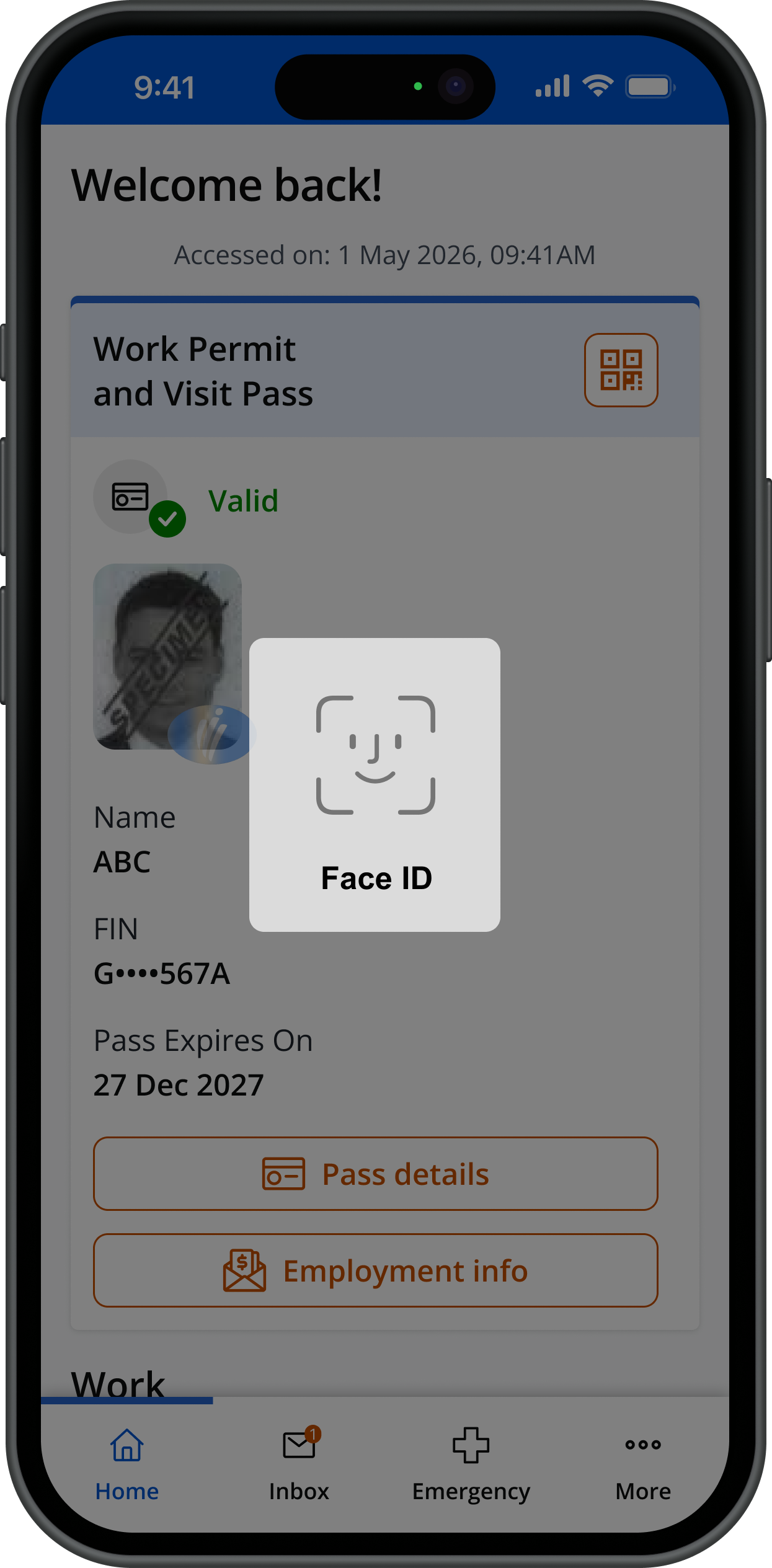
- Enjoy greater data privacy as only you can see your detailed pass information after confirming your identity on your mobile phone.
- Reduce the risk of lost or damaged cards by carrying your digital work pass on your mobile phone.
With SGWorkPass, you can also:
- Receive notifications from MOM which are unique and relevant to you.
- Change the language settings to access our services in your preferred language.
SGWorkPass allows you to verify the validity of MOM-issued passes by:
- Viewing the pass holder’s digital work pass.
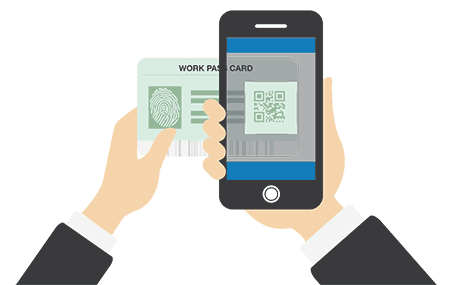
- Using your SGWorkPass app to scan the QR code on the pass holder’s digital work pass or work pass card.
You can also get the pass holder’s FIN by scanning the barcode on their digital work pass.
How to set up your digital work pass
You can read the step-by-step guide on how to set up your digital work pass in:
Features of SGWorkPass
Easily access your work pass detailsShow
See your work pass details by either:
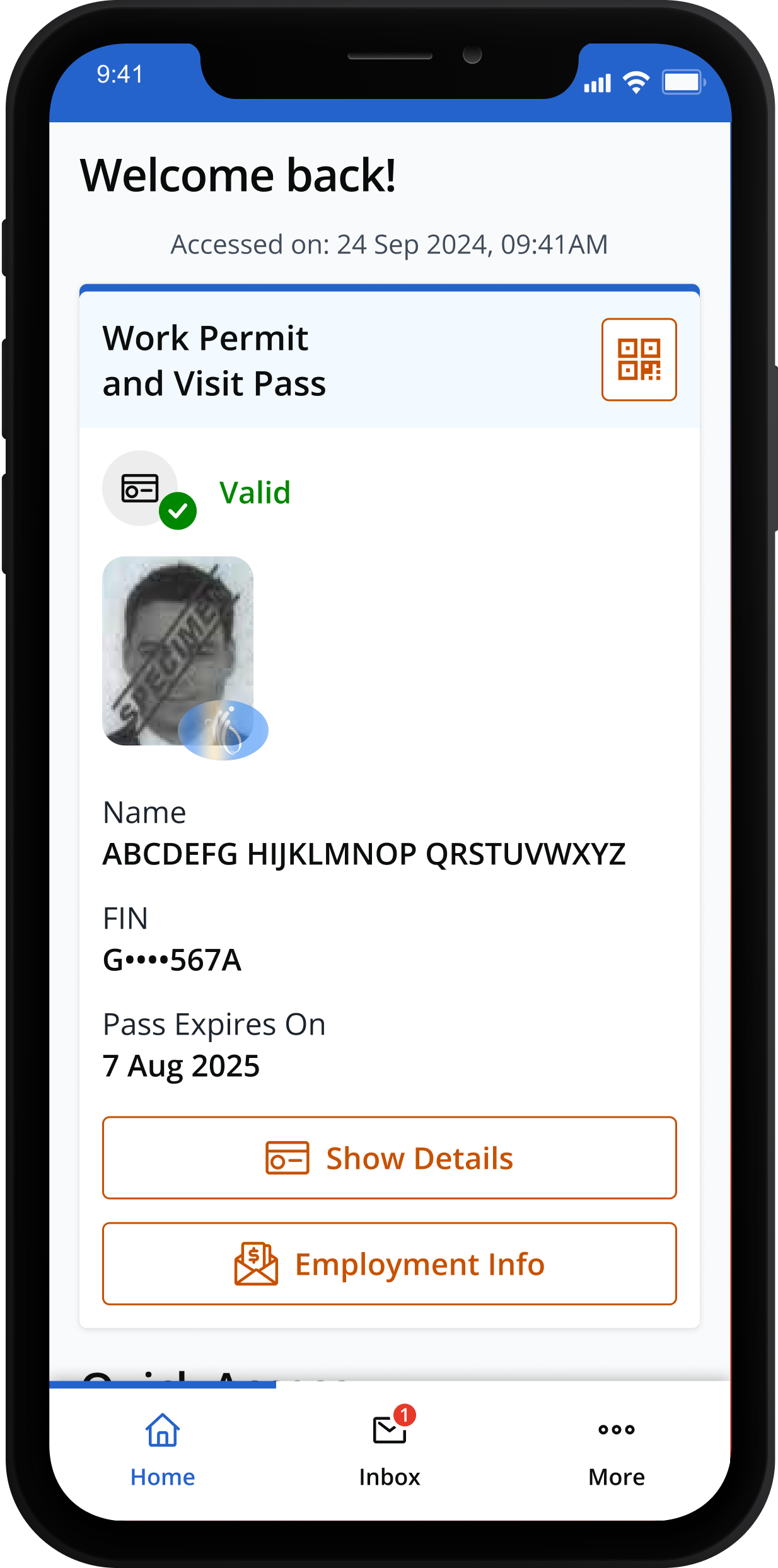
- Viewing your digital work pass directly on SGWorkPass after setting it up.
- Using the app to scan the QR code on your work pass card.
Verify your work pass validityShow
Your digital work pass can be used to verify your work pass validity.
Alternatively, you can use the SGWorkPass to scan the QR code on your pass to see the validity period.
View employment information - including salaryShow
For Work Permit holders, including helpers, you can check your monthly salary information:
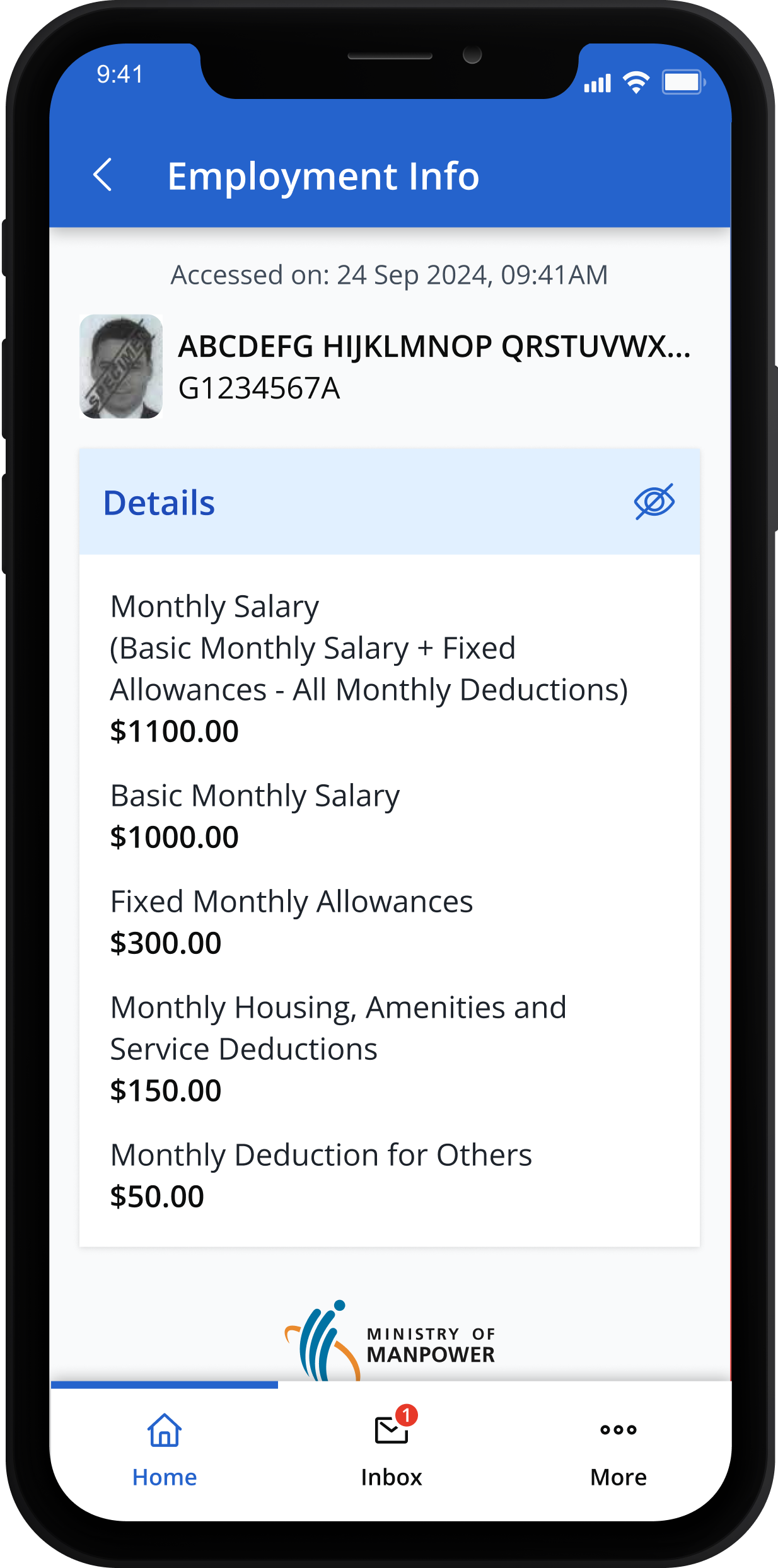
Any updates to salary will be reflected in the app 1 working day after your employer has notified us.
[For helpers only] You can check your employment information, including your salary:
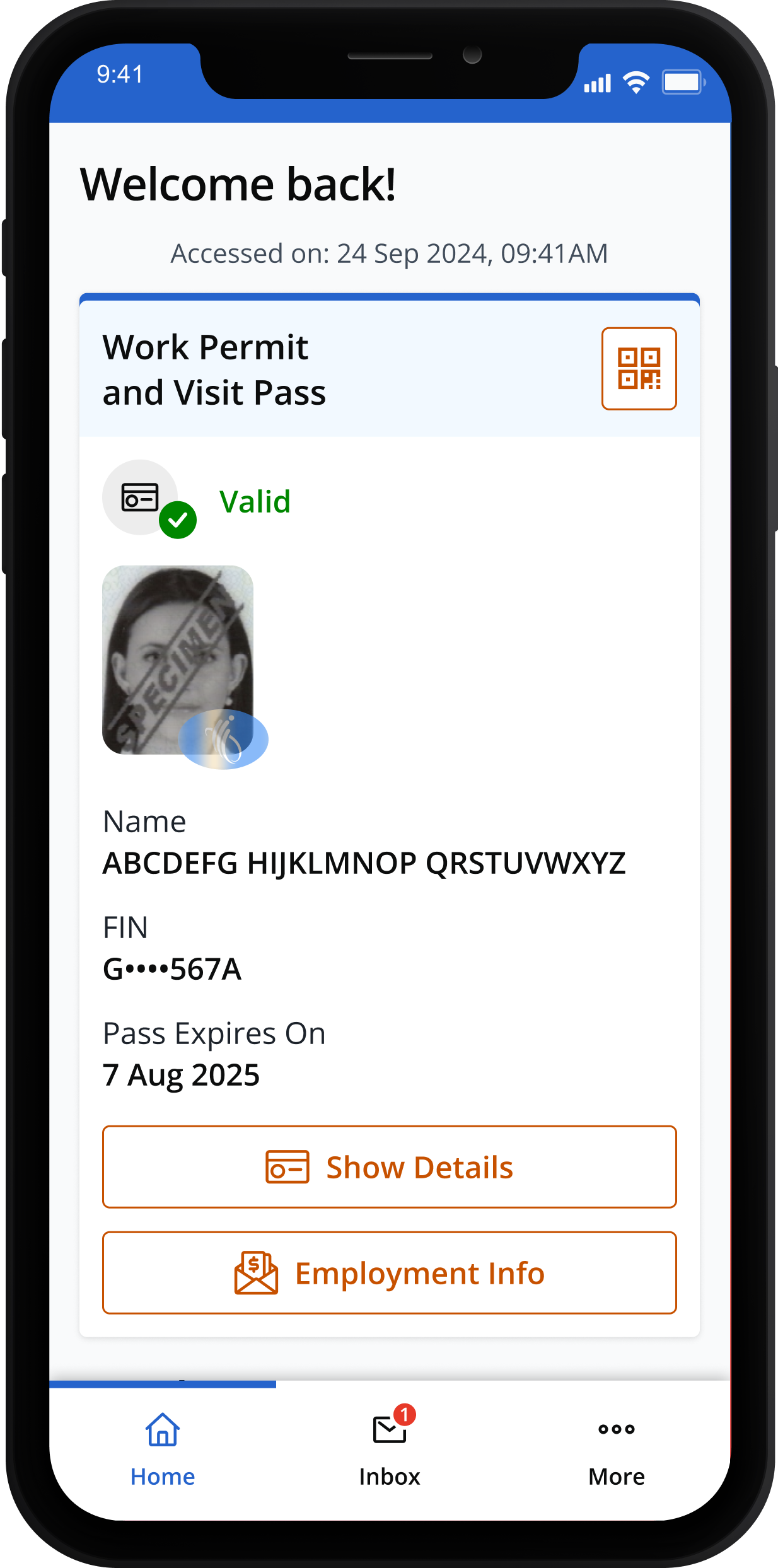
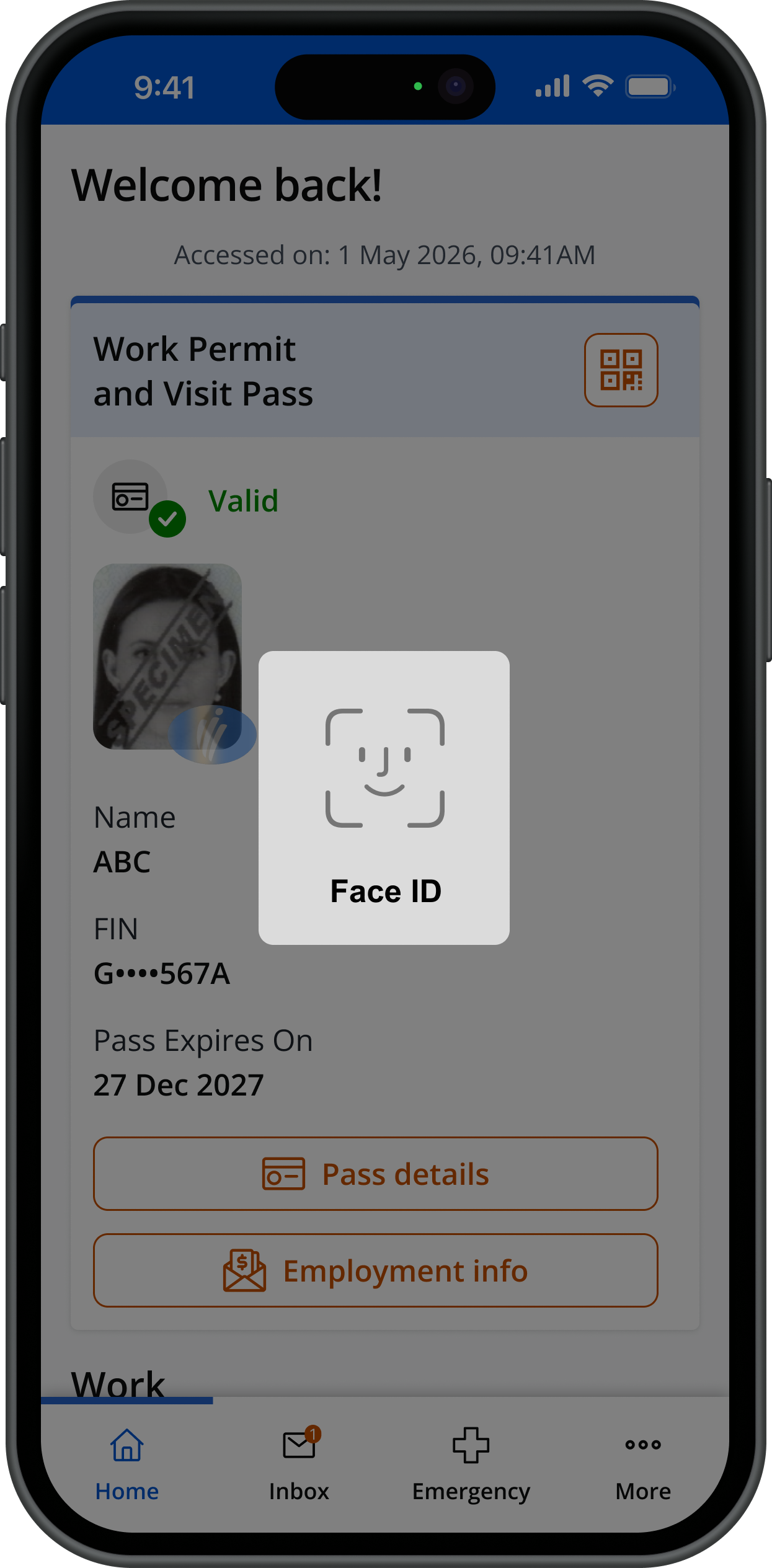
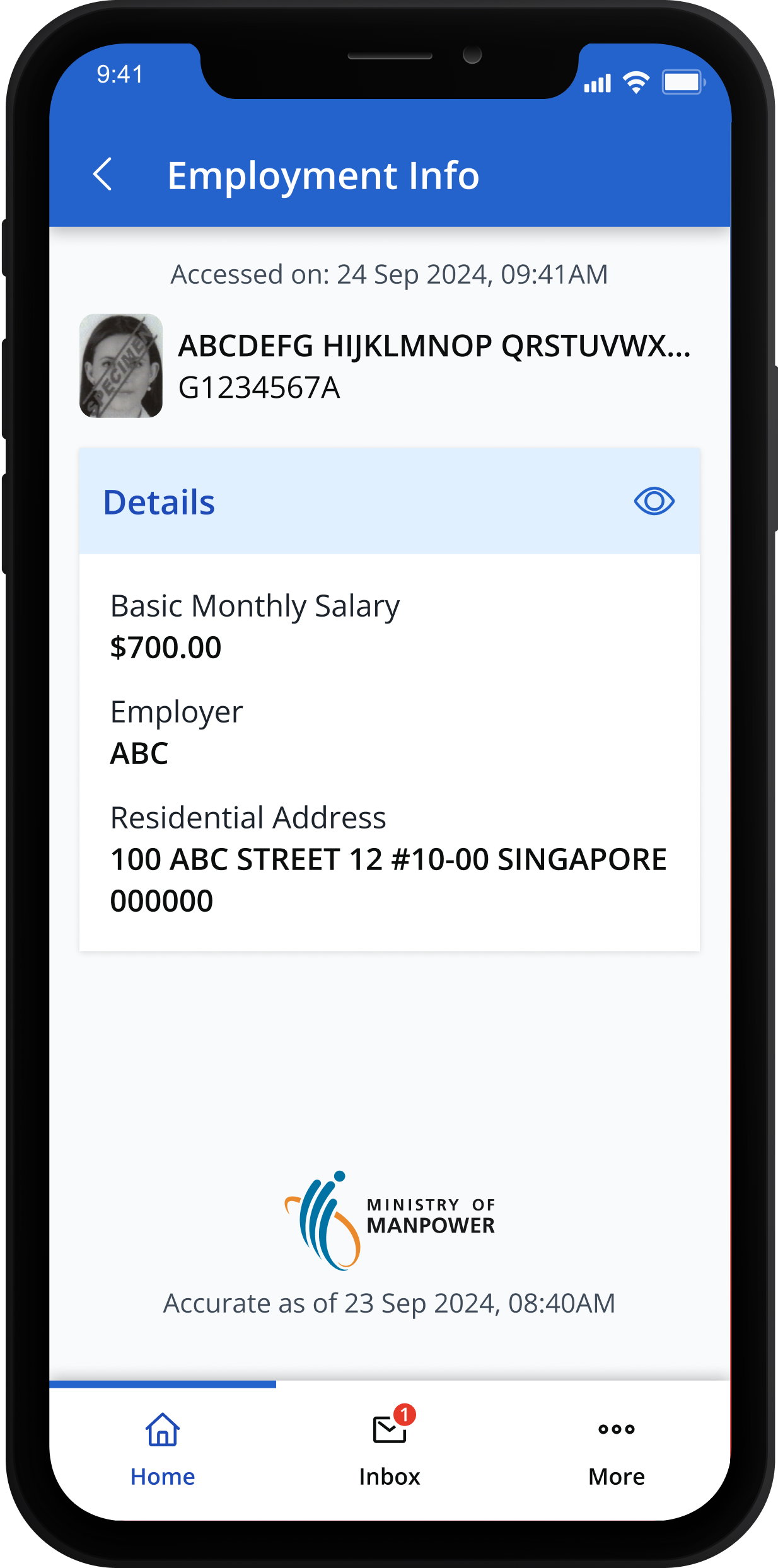
View core skill certificates (For Work Permit holders, excluding helpers)Show
For Work Permit holders (excluding domestic helpers), you can view your core skill certifications:
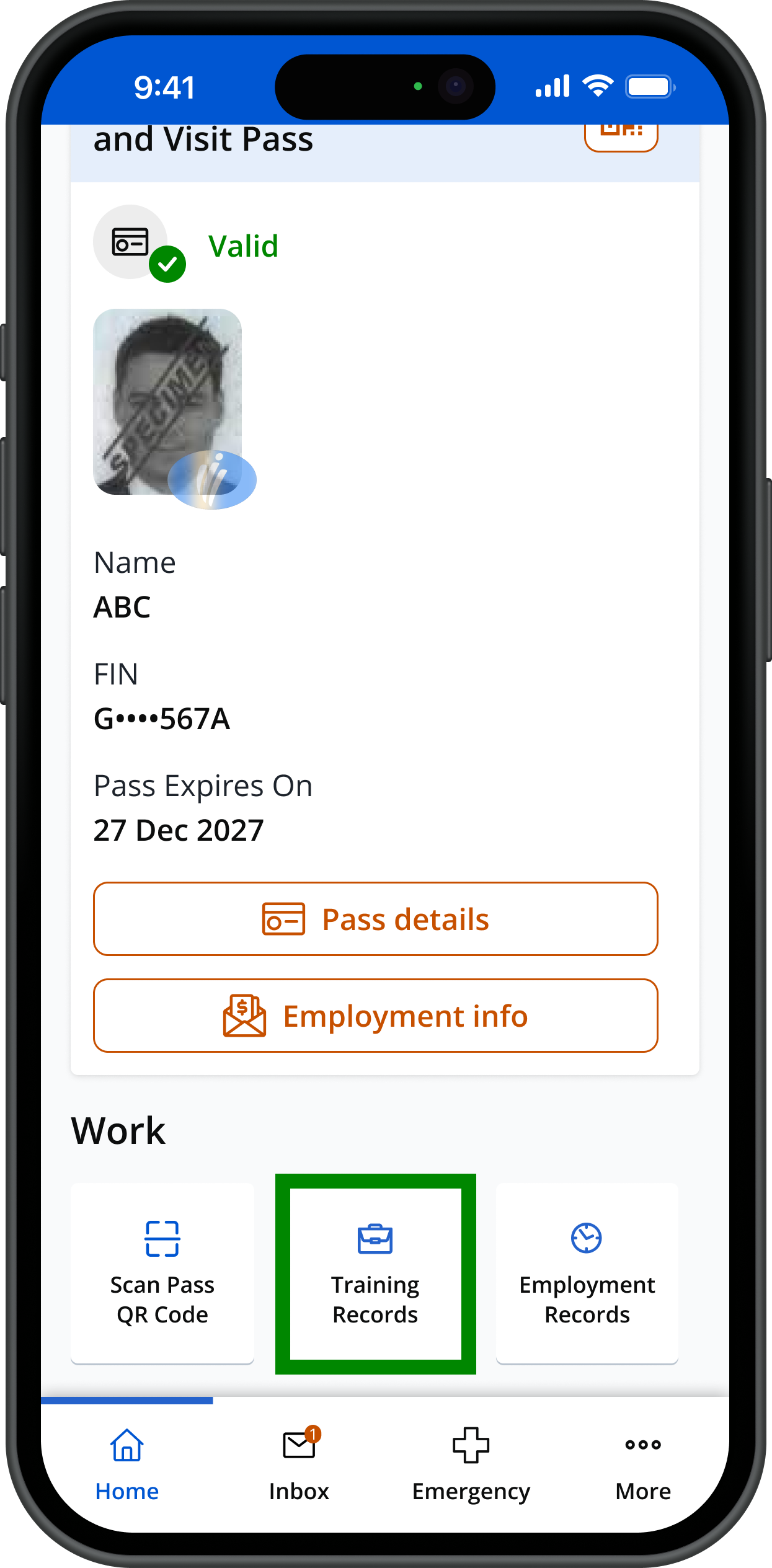
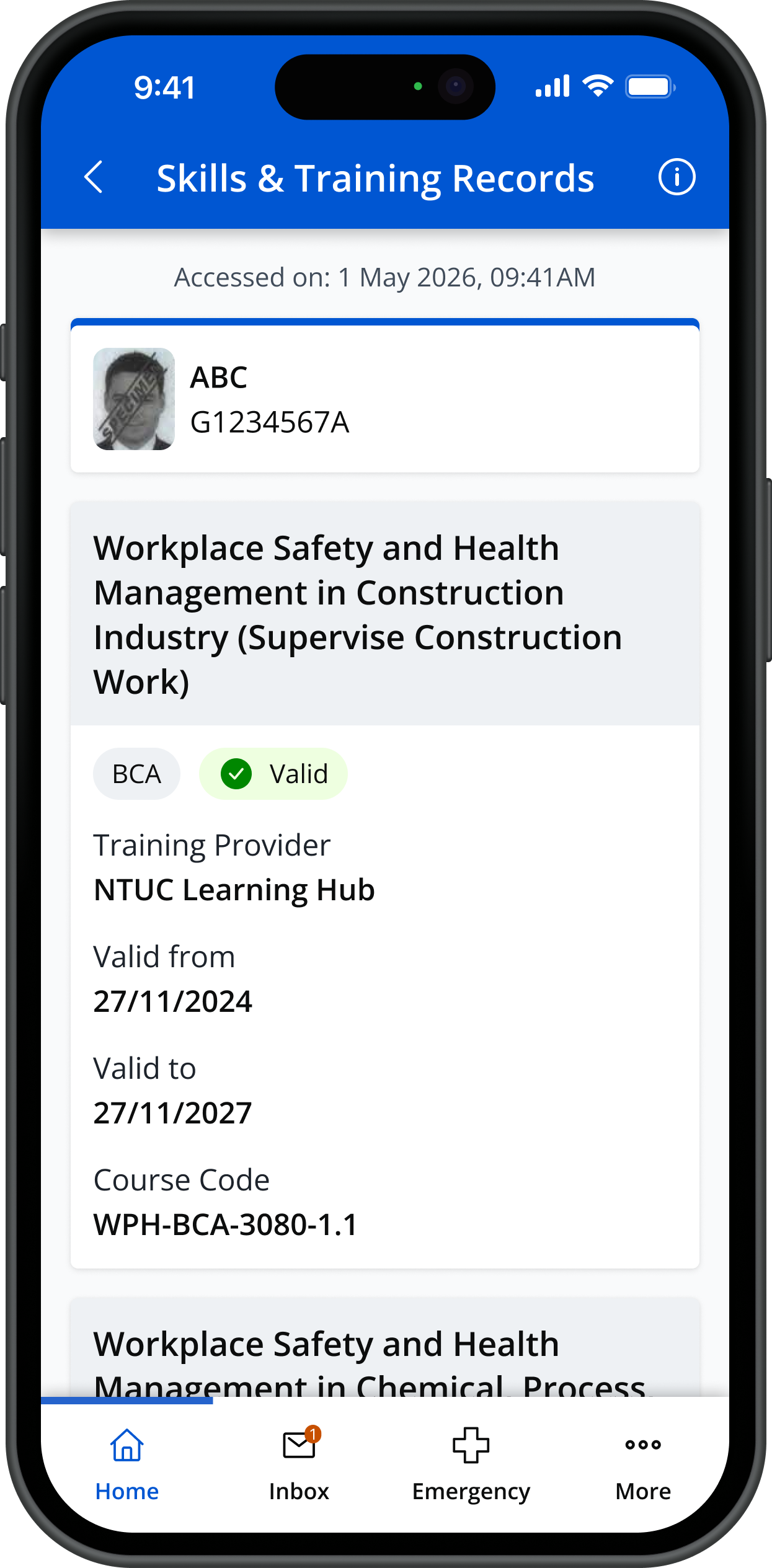
For more information, please refer to our FAQ.
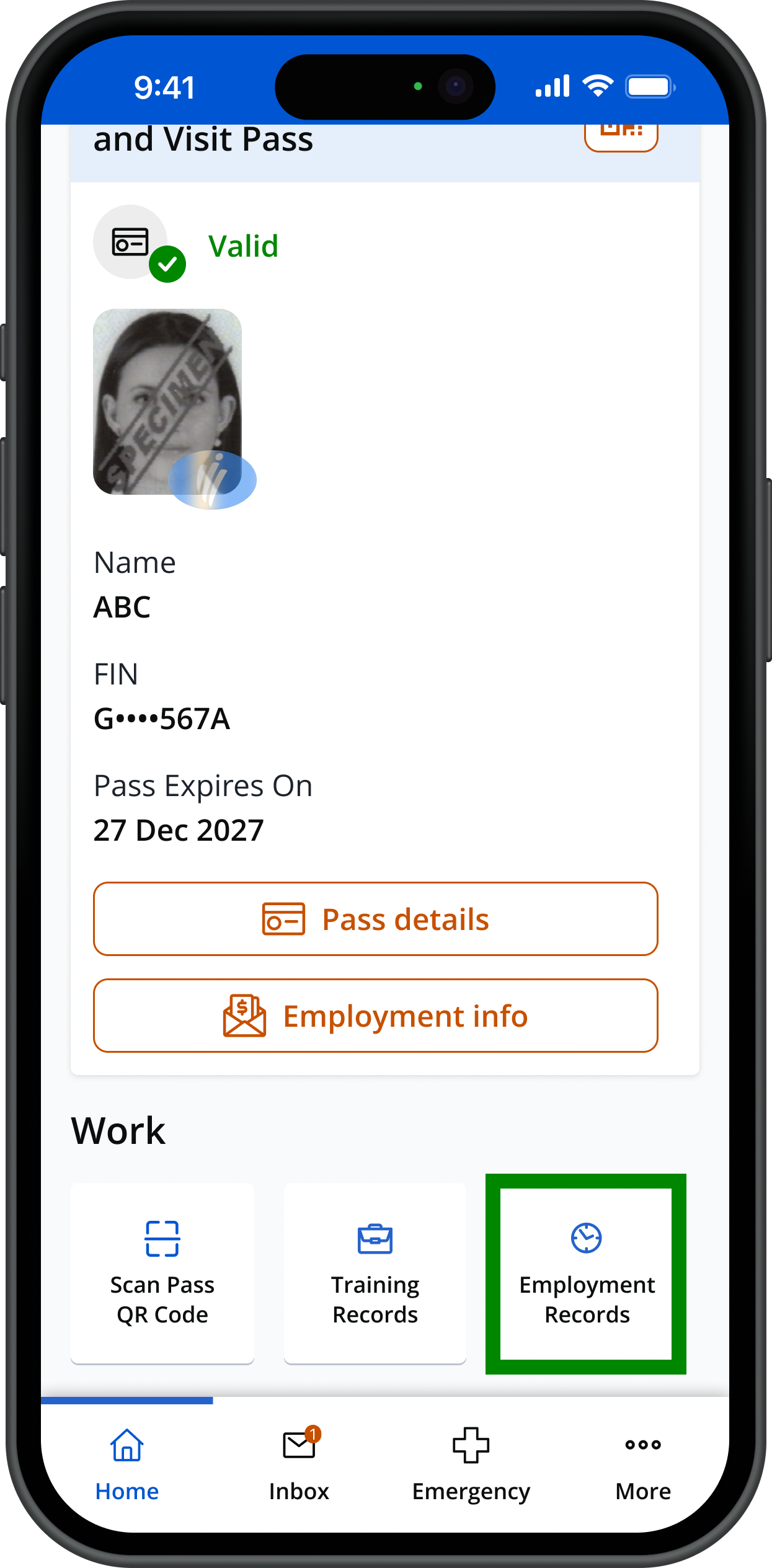
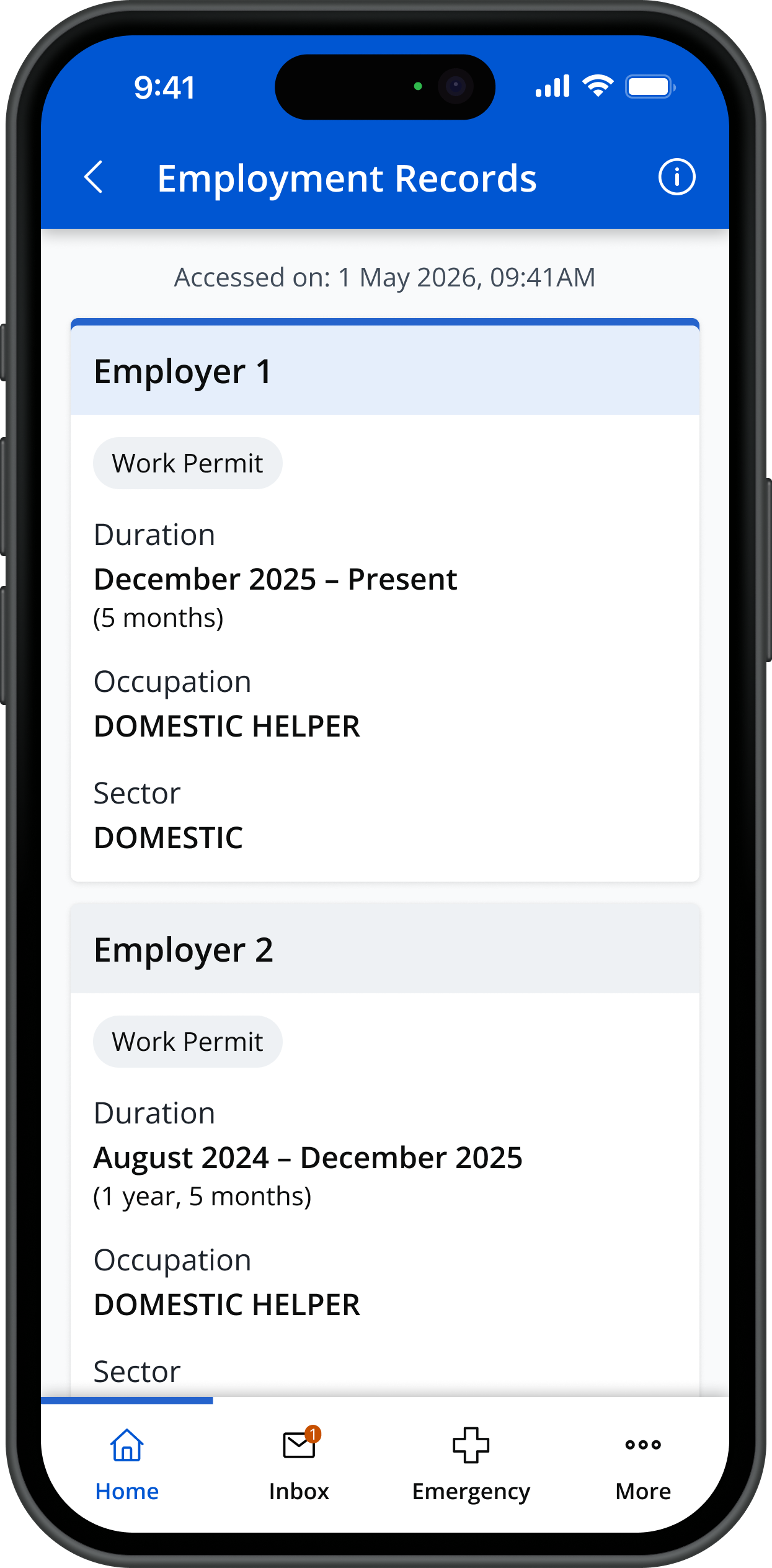
View employment historyShow
For Work Permit holders, you can view your employment history (from 2017 onwards):
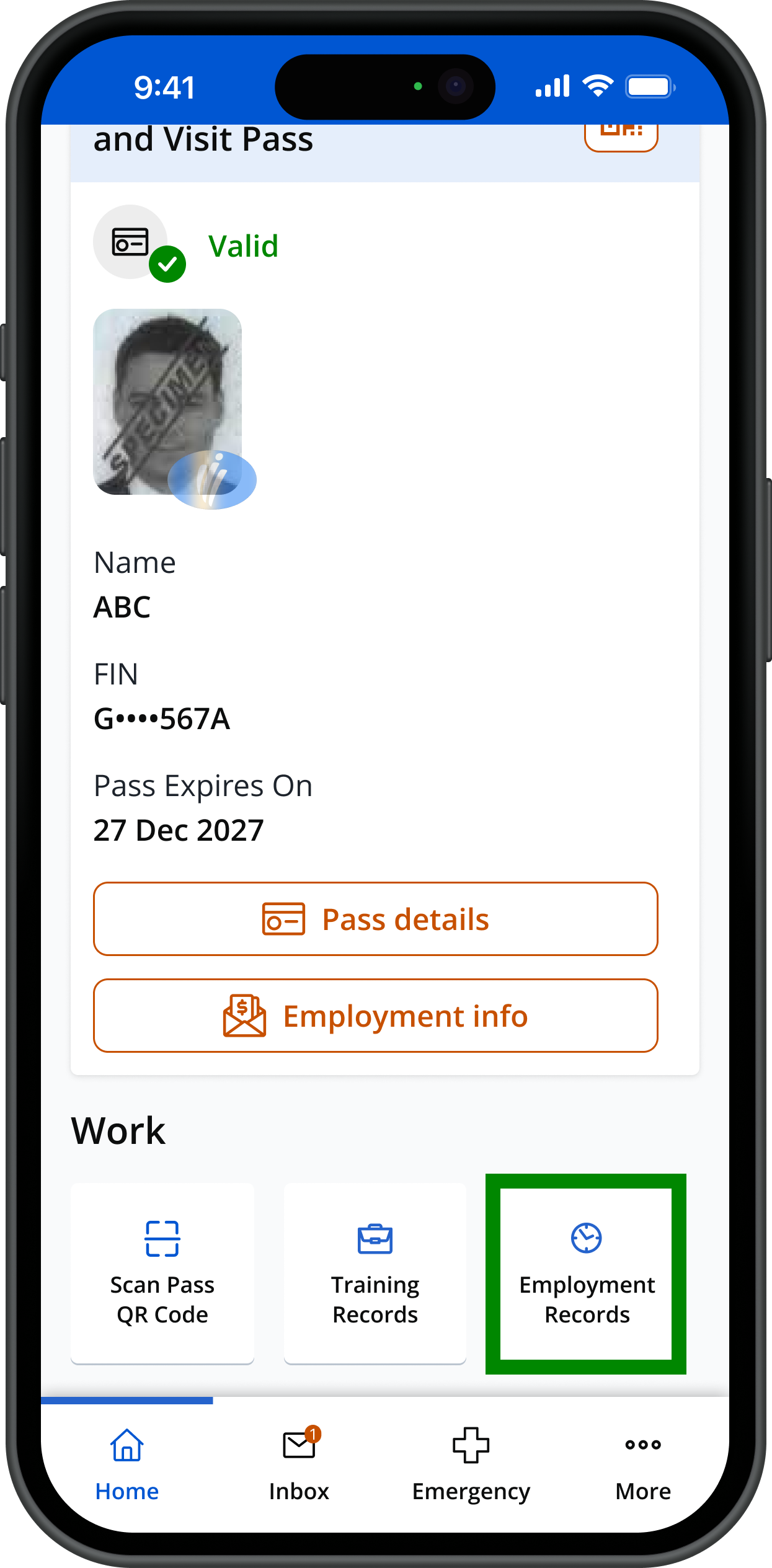
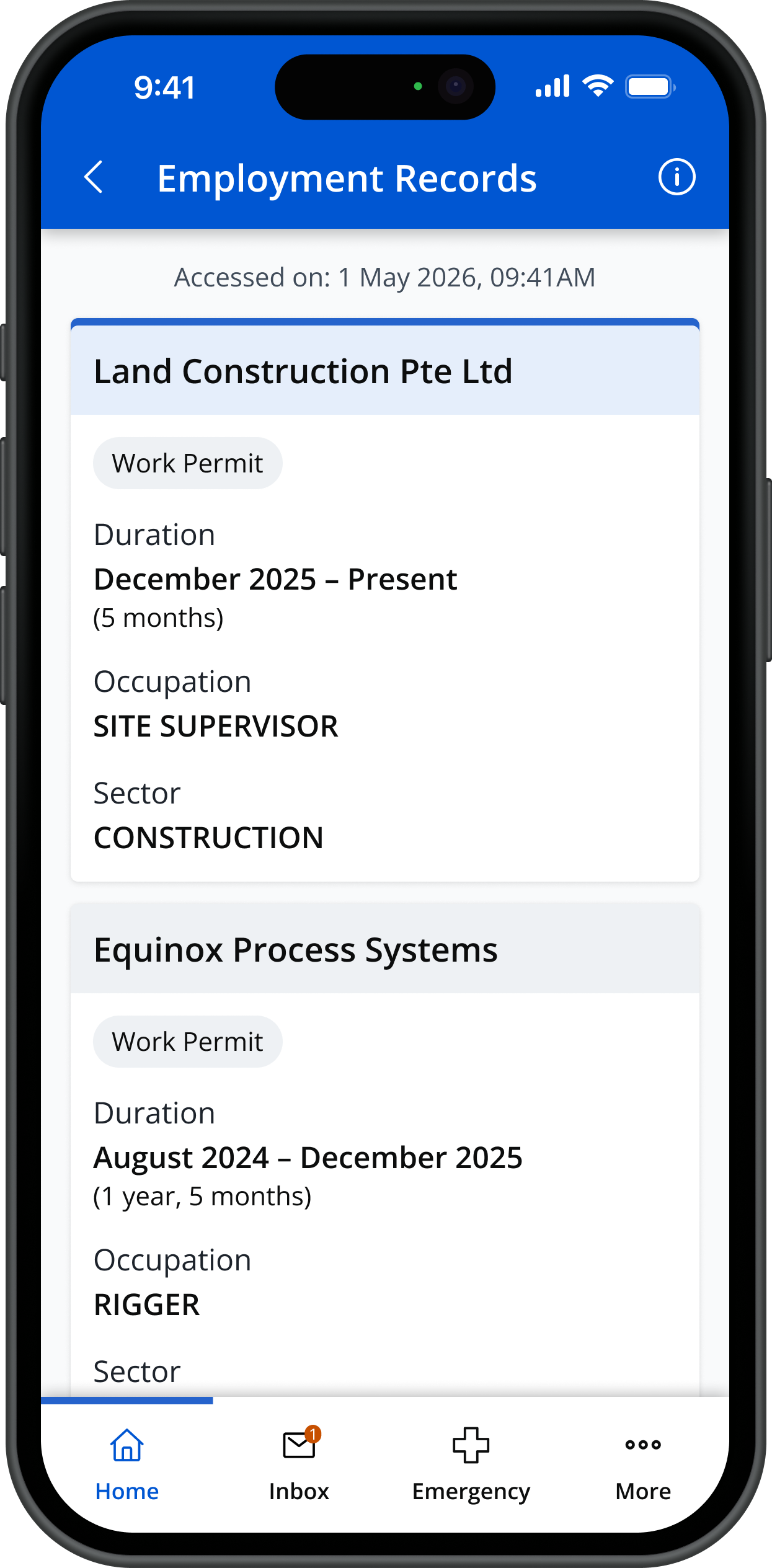
[For helpers only] You can check your employment history (from 2017 onwards):
Receive personalised notificationsShow
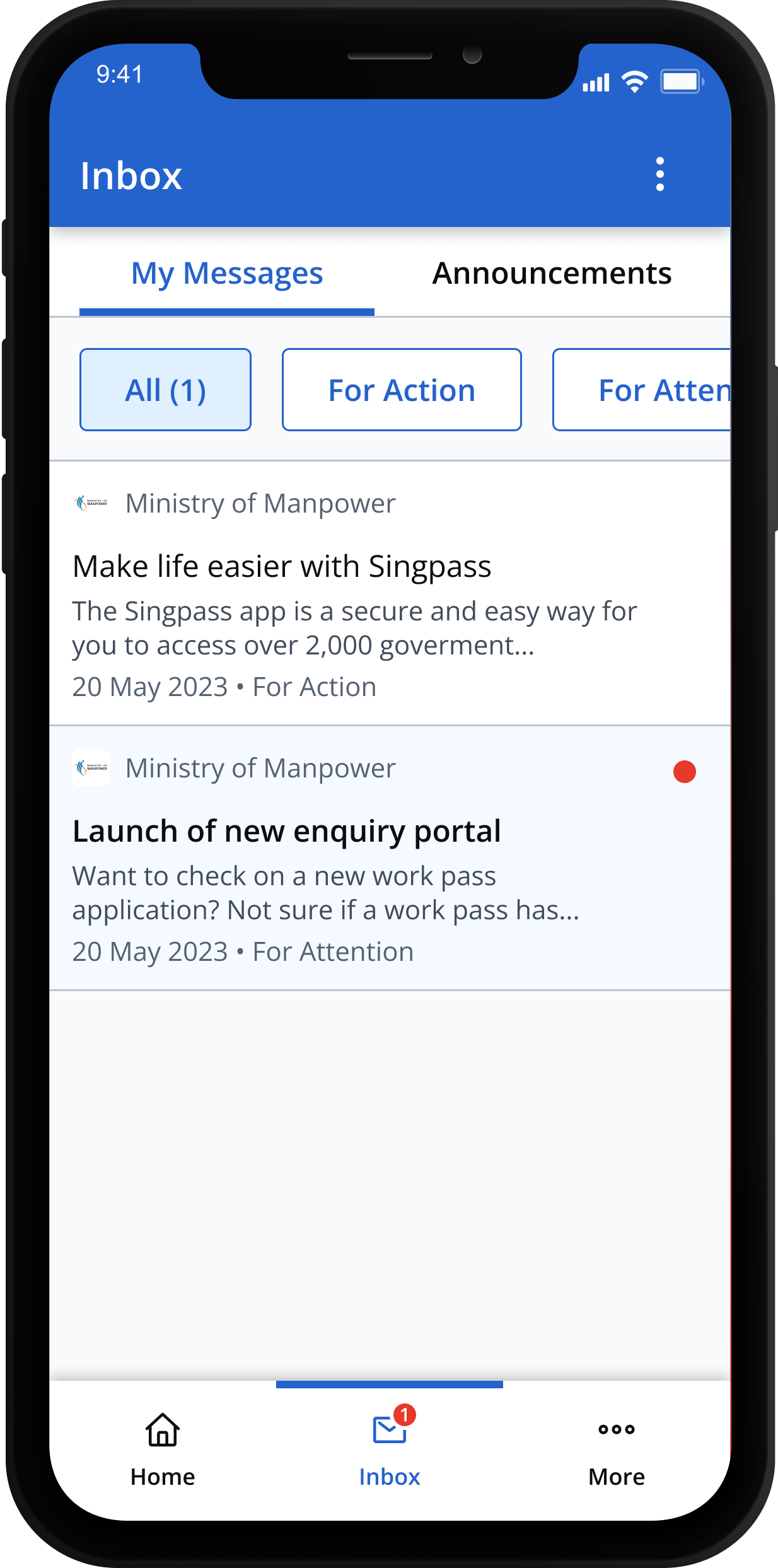
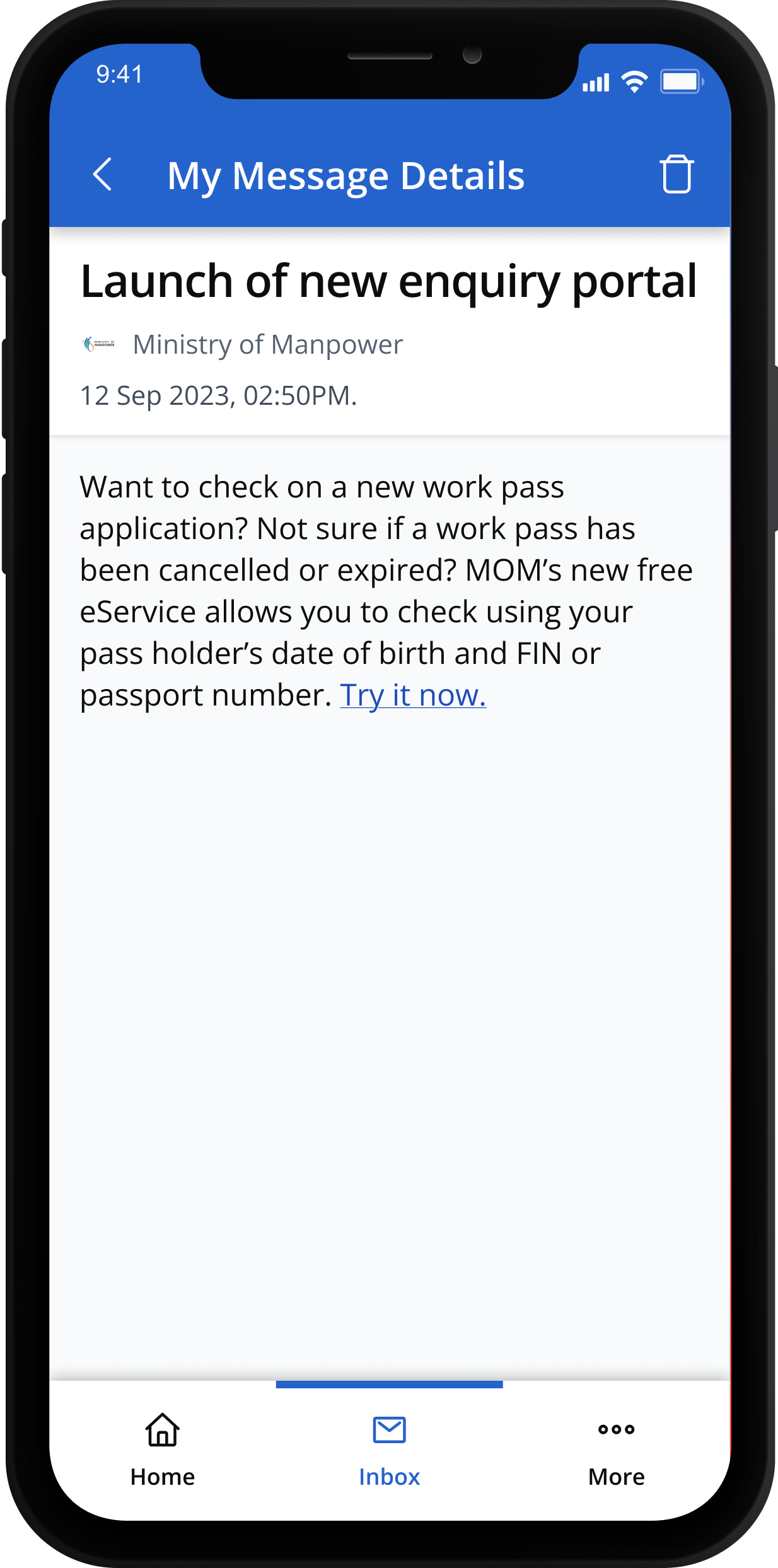
Receive personalised notifications from MOM and other government agencies that are unique and relevant to you.
All messages are sorted in your SGWorkPass inbox for easy access.
Choose your preferred languageShow
SGWorkPass is available in the following languages:
- Bahasa Indonesia
- Bahasa Melayu
- Bengali
- Burmese
- English
- Mandarin
- Tagalog
- Tamil
- Thai
- Vietnamese
You can switch to your preferred language anytime.
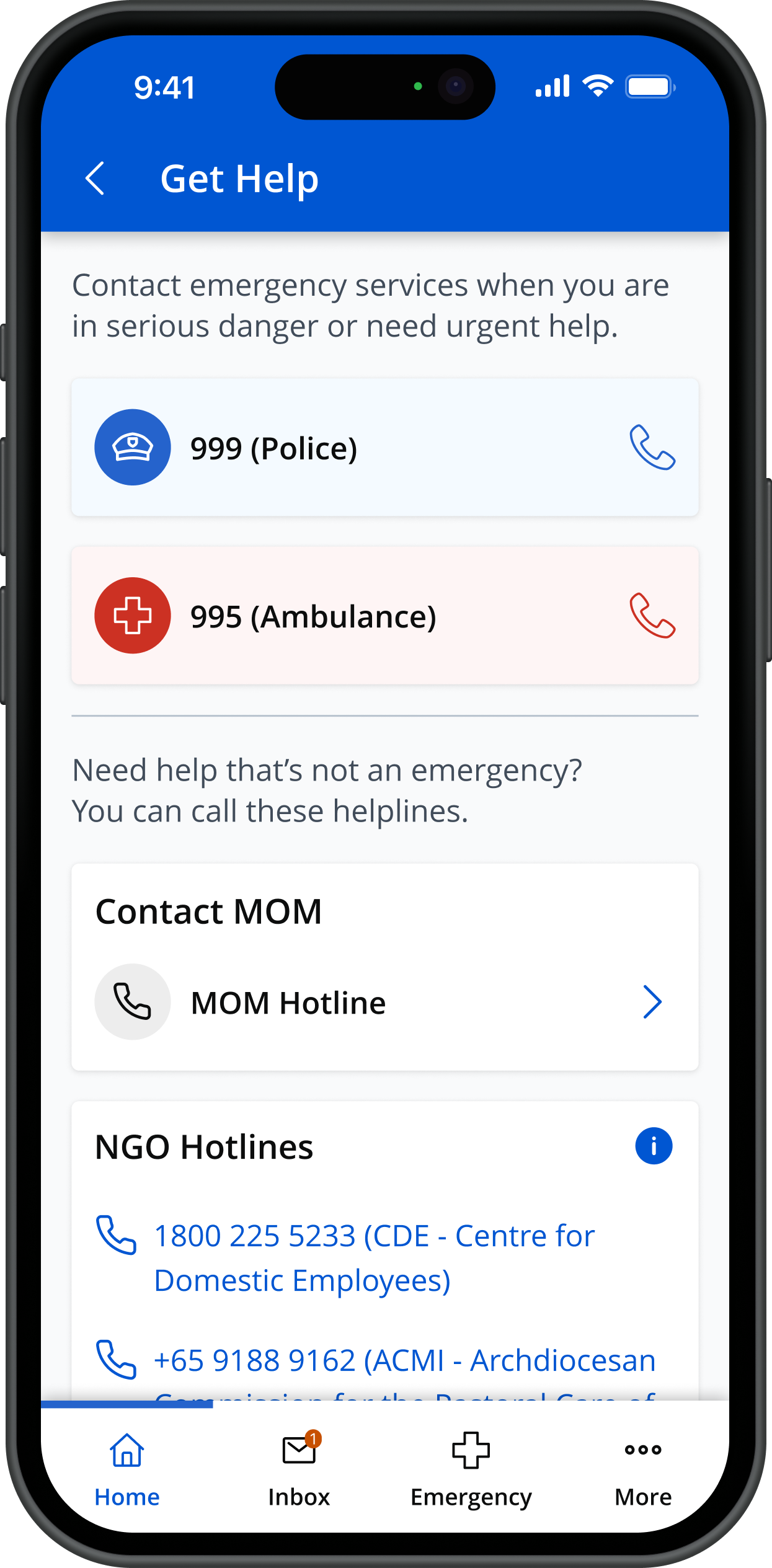
Get helpShow
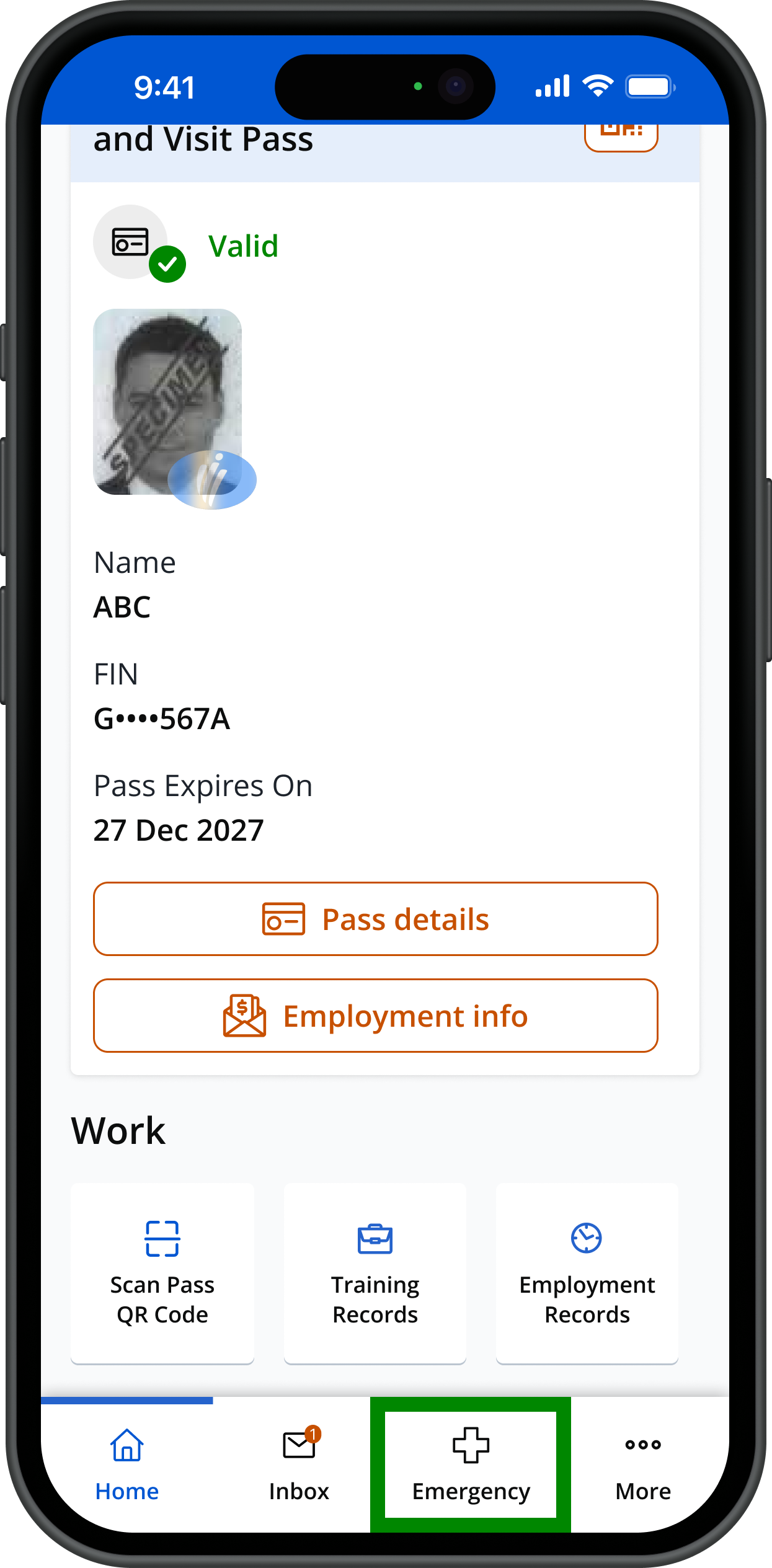
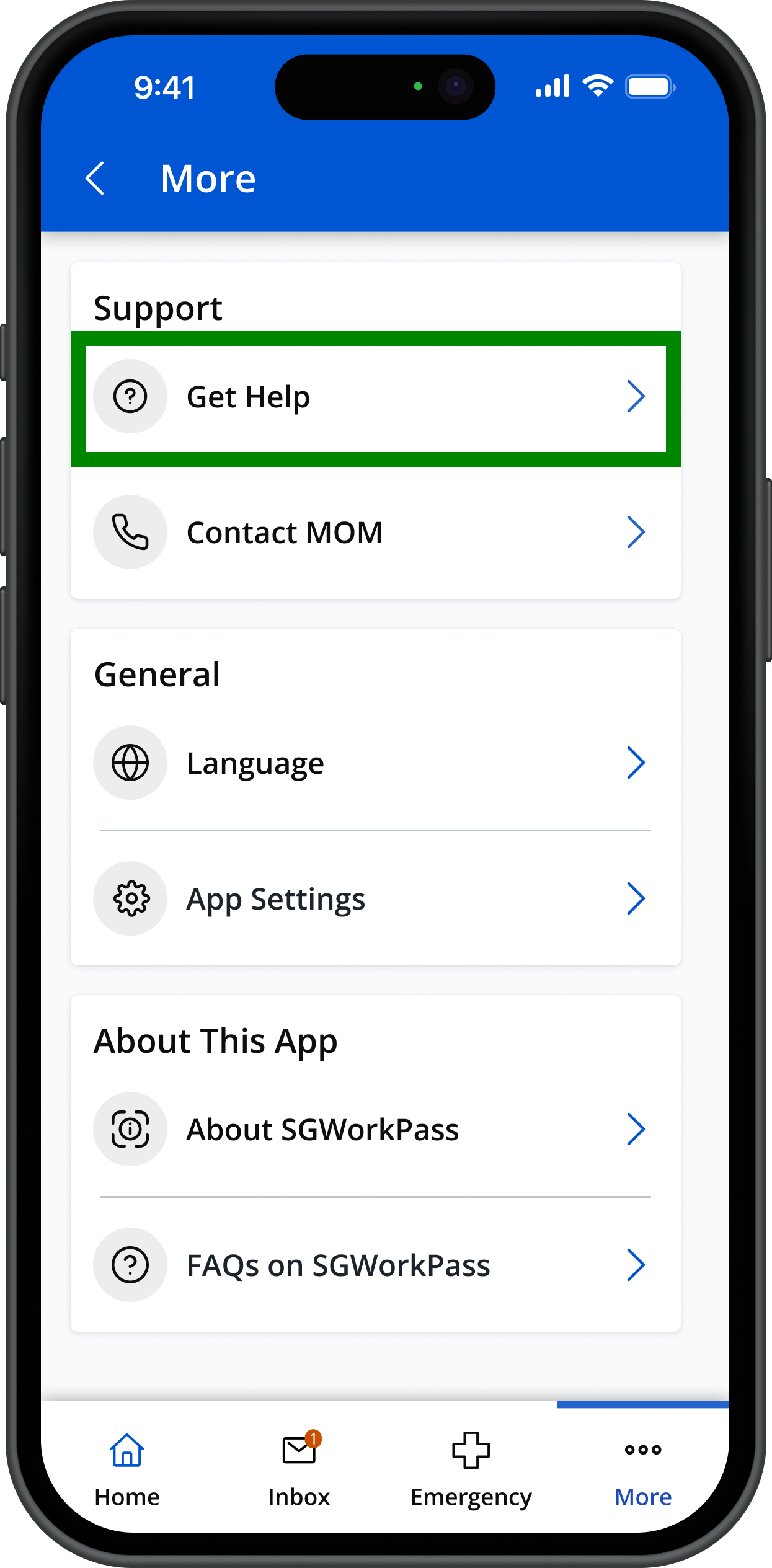
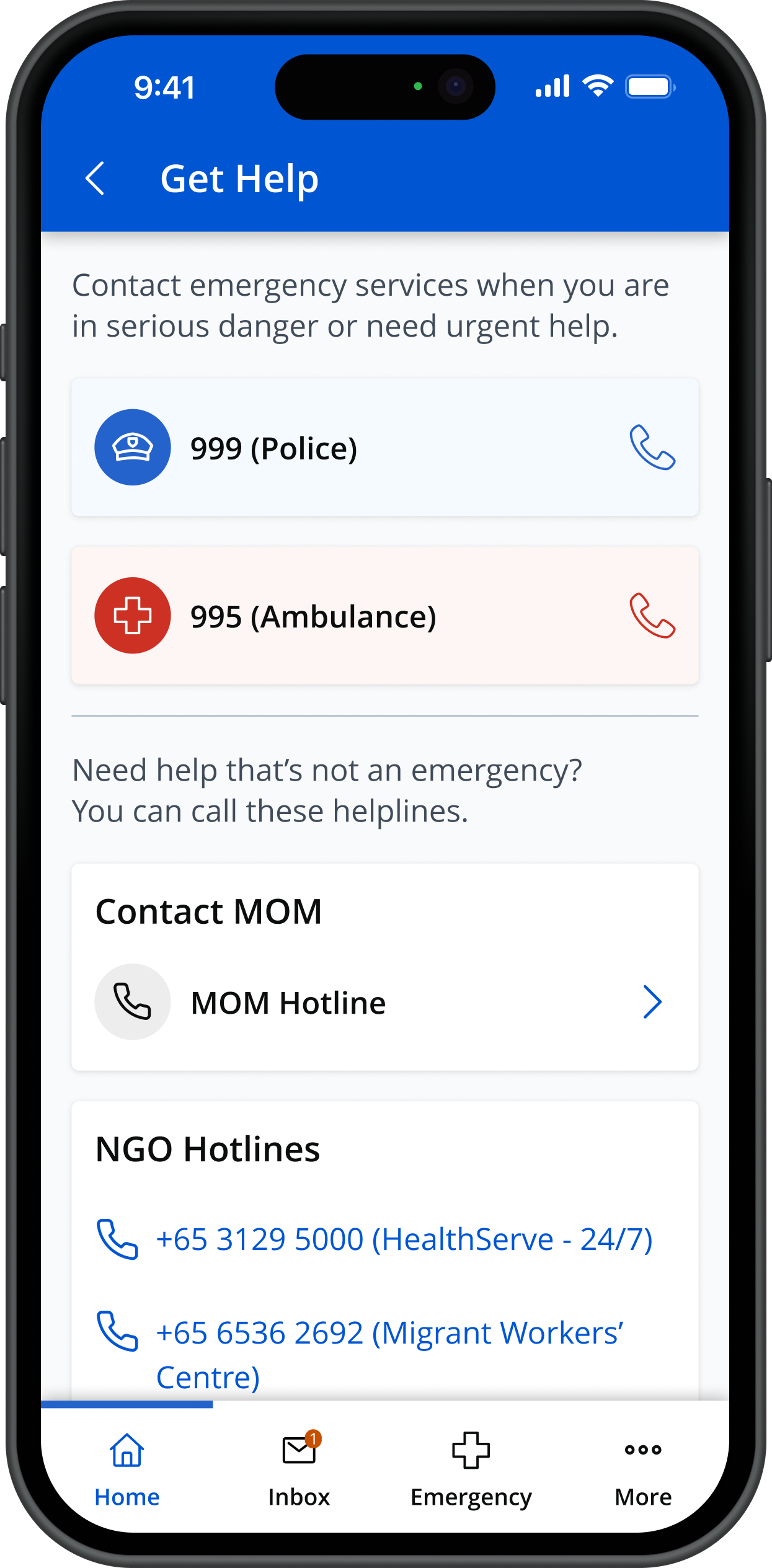
[For helpers only]
(For helpers) Get information about employment rights and obligationsShow
To access a range of information on your employment rights and obligations, open the Quick Access menu in SGWorkPass and tap on “Resources”.
Help and support
If your work pass is shown as 'Invalid'Show
It means that your work pass has been cancelled or is expired and you can no longer continue working.
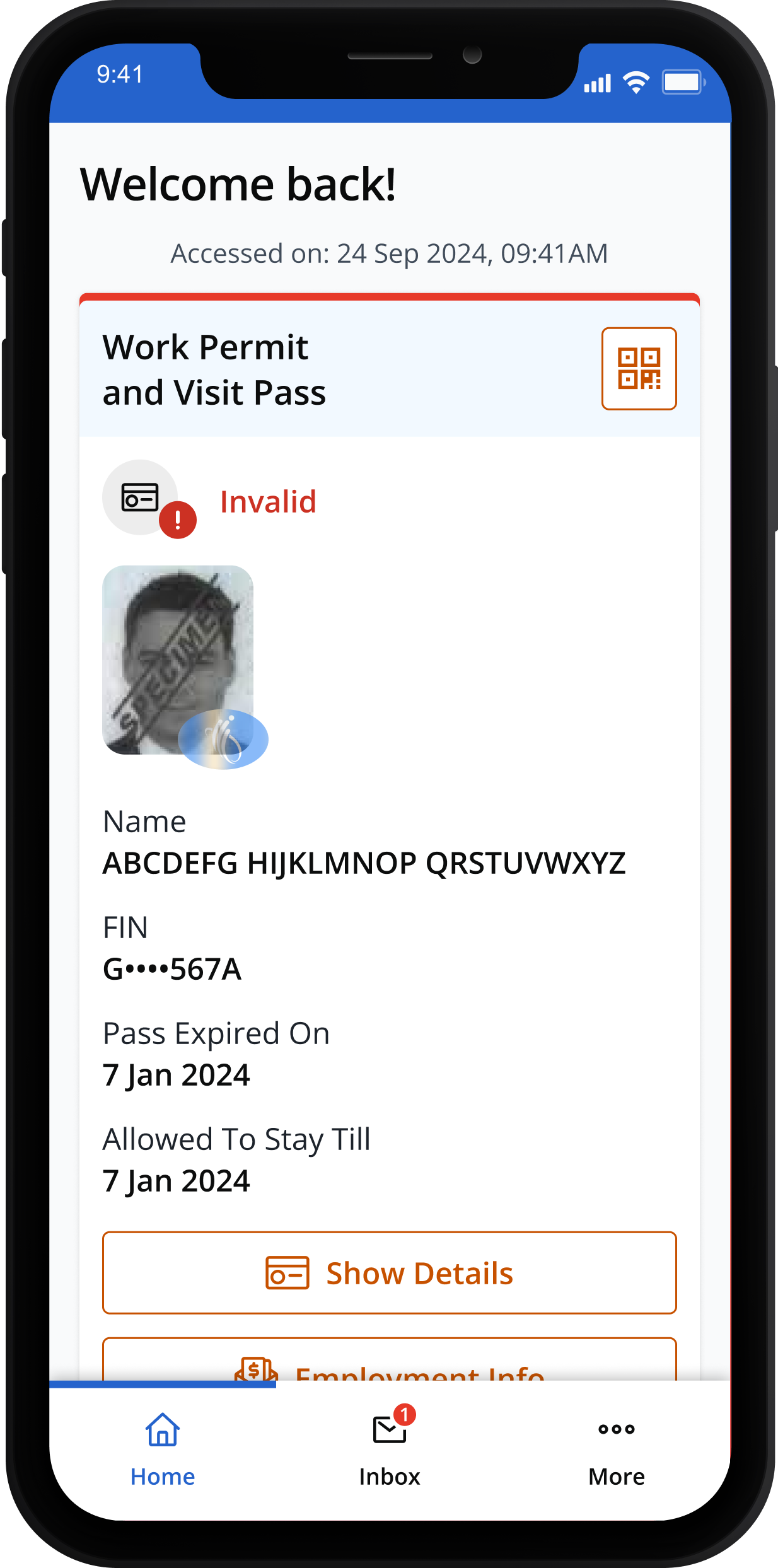
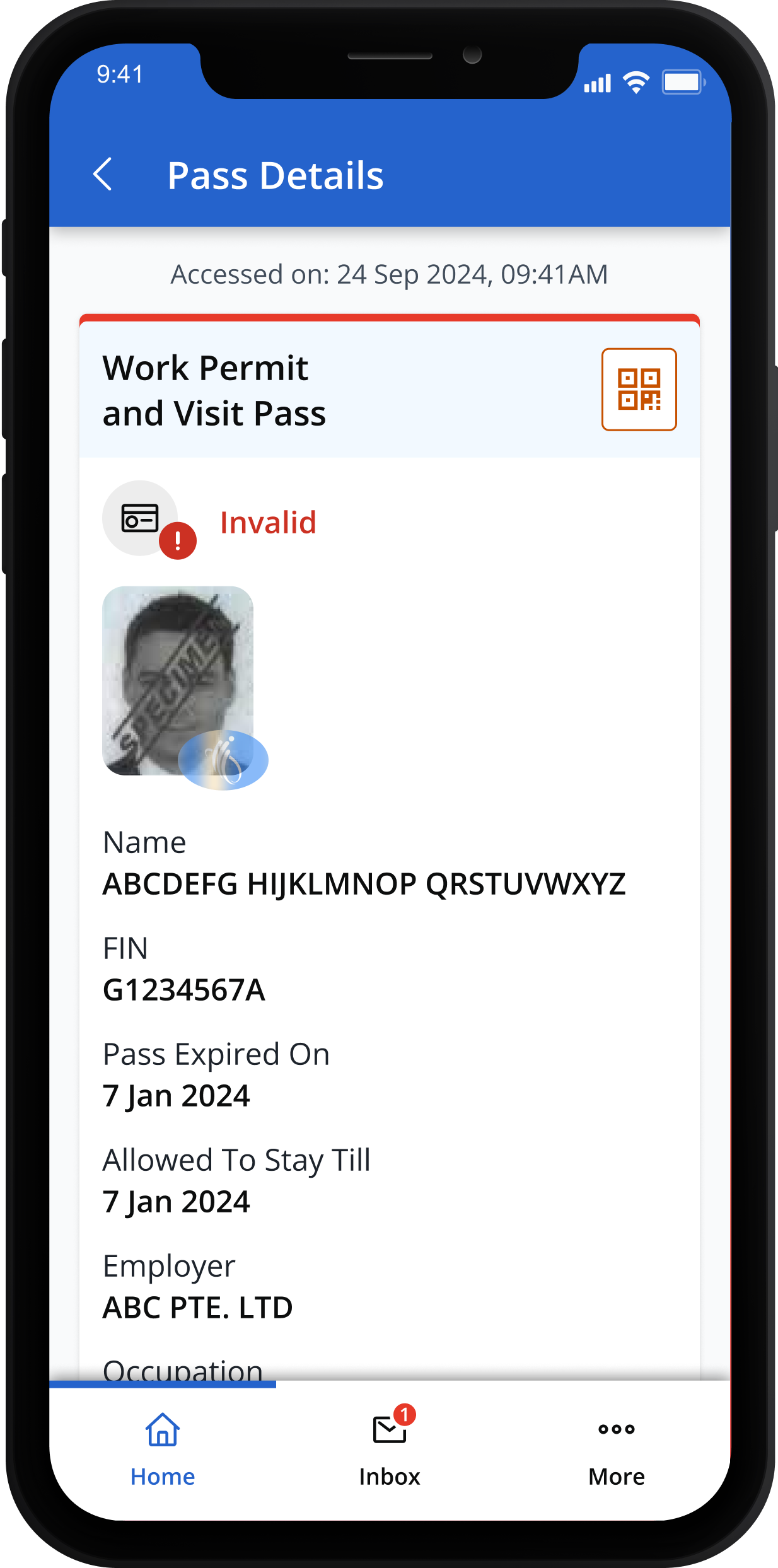
You should ask your employer to log into WP Online or EP eService to check and rectify the causes that made the work pass invalid.
If you do not have SingpassShow
First time users can register for Singpass.
Read the step-by-step guide. Also available in these other languages:
If you forgot your Singpass passwordShow
Existing users can reset their Singpass if they are unable to log in.
Read the step-by-step guide.
Also available in these other languages:
Alternatively, you may also locate the Singpass counter nearest to you for help.
The use of SGWorkPass is governed by these Terms of Conditions and Privacy Policy.
For more info:
- Read our FAQs.